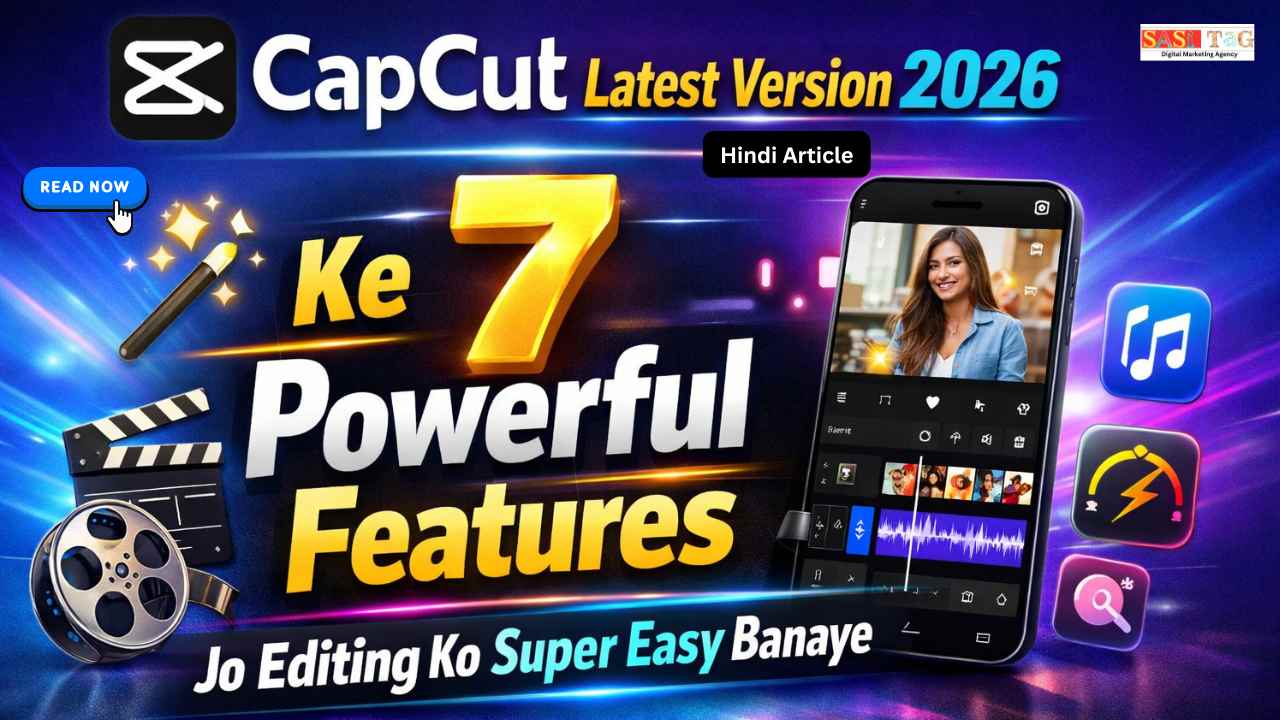
#CapCut Latest Version 2026 Ke 7 Powerful Features Jo Editing Ko Super Easy Banaye (In Hindi)

CapCut Latest Version

आज के समय में Short Video Content जैसे Reels, Shorts और YouTube Videos तेजी से Popular हो रहा हैं लेकिन कई Beginners को Video Editing मुश्किल लगता है क्योंकि उन्हें Complex Software समझ नहीं आता!

Table of Contents

यही वजह है कि लाखों Creators अब CapCut का Use कर रहे हैं यह Powerful Video Editing App है जिसमें Easy Interface, Smart AI Tools और Ready-To-Use Features मिलता हैं!

अच्छी बात यह है कि CapCut Latest Version 2026 में कई नए Features आए हैं जो Editing Process को पहले से ज्यादा Fast, Smooth और Beginner Friendly बना देता हैं अगर आप Beginner हैं, तो ये Features आपको जल्दी Pro Editor बनने में मदद कर सकते हैं!

  • All
  • Gateway
  • Panel
  • User Ac
    •   Back
    • User Ac
Load More

End of Content.

#CapCut Latest Version Kya Hai?

CapCut Latest Version 2026 एक Updated Video Editing App है जिसे Bytedance ने develop किया है यह Creators, Youtubers, Reels Makers और Content Creators के लिए बनाया गया है ताकि वे आसानी से Professional Level की Video Editing कर सकें इस Latest Version में कई नए Ai Tools, Filters, Effects, Transitions और Smart Editing Features शामिल किए गए हैं!

 इसकी मदद से Beginners भी जल्दी और आसानी से High Quality Videos बना सकते हैं Capcut का Simple Interface और Powerful Editing Tools से आप Mobile और Pc Users के लिए एक Popular Editing Software बना सकते हैं!

#CapCut Latest Version 2026 Ke 7 Powerful Features Jo Editing Ko Super Easy Banaye

#1. AI Auto Captions

AI Auto Captions Feature की मदद से आप Video में बोले गए Audio को Automatically Subtitles को Convert किया जा सकता है इससे Content Creators को Manually Captions लिखने की जरूरत नहीं पड़ता यह Feature खासकर Youtube, Reels और Shorts Videos के लिए बहुत Useful है क्योंकि इससे Audience Engagement बढ़ता है!

#2. Advanced Video Transitions

CapCut Latest Version में कई नए Advanced Transitions Add किए गए हैं जो Video Editing को ज्यादा Smooth और Cinematic बनाते हैं आप इसे आसानी से एक Clip से दूसरी Clip में Creative Transition Effect लगा सकते हैं यह Feature खासकर Vlogs, Reels और Travel Videos को Professional Look देता है!

#3. Smart Background Removal

Smart Background Removal Feature की मदद से आप बिना Green Screen के भी Video Background बदल सकते हैं यह AI Tool Automatically Subject को Detect करके Background Remove कर देता है इससे Creators आसानी से Creative Visual Effects और Professional Editing कर सकते हैं!

#4. Keyframe Animation

Keyframe Animation Tool से आप Video Elements जैसे Text, Stickers, Images और Clips को animate कर सकते हैं इससे Video Editing ज्यादा Dynamic और Engaging बना सकते है Creators इस Feature का Use करके Smooth Zoom, Movement और Creative Animation Effects Add कर सकते हैं!

#5. High Quality Filters

CapCut Latest Version में कई नए High Quality Filters दिए गए हैं जो Video Color और Mood को Instantly Improve कर देता हैं इन Filters की मदद से आपकी Video ज्यादा Attractive और Professional दिखता है Creators अपनी Content Style के हिसाब से Different Filters Choose कर सकते हैं!

#6. Built-in Music Library

Built-in Music Library Feature में हजारों Royalty Free Music Tracks Available होता हैं जिन्हें आप अपनी Videos में आसानी से Add कर सकते हैं इससे Video Mood और Storytelling बेहतर हो जाता है यह Feature खासकर Youtube Videos, Reels और Short Videos के लिए बहुत Helpful है!

#7. One Click Export In HD

One Click Export Feature की मदद से आप अपनी edited Video को Quickly HD Quality में Export कर सकते हैं इसमें Different Resolution Options भी मिलते हैं जैसे 1080p और 4K etc यह Feature Creators को Fast और Smooth Video Exporting Experience देता है!

#Beginner के लिए Step By Step Video Editing Workflow

#1. Project Start करें

सबसे पहले CapCut App Open करें और New Project पर Click करें अब अपनी Video Clips और Photos Import करें ताकि आप Editing Start कर सकें!

#2. Clips Arrange करें!

Timeline में सभी Video Clips को सही Order में Arrange करें इससे आपकी Story Flow Clear और Smooth बनता है!

#3. Basic Cut और Trim करें!

अब Split Tool और Trim Option का Use करके Extra Parts Remove करें इससे Video Short, Clean और Professional दिखता है!

#4. Transitions Add करें!

Different Clips के बीच Transitions Add करें ताकि Scene Change Smooth और Cinematic लगे!

#5. Music और Sound Effects Add करें!

Video में Background Music और Sound Effects Add करें ताकि Video ज्यादा Engaging और Attractive लगे।

#6. Text और Captions Add करें!

Important Points Highlight करने के लिए Text, Titles या Captions Add करें इससे Viewer को Message आसानी से समझ आता है!

#7. Filters और Effects Apply करें!

Video को Stylish बनाने के लिए Filters, Color Adjustment और Effects Use करें!

#8. Final Export करें!

Editing Complete होने के बाद Export Button पर Click करें और Video को High Quality 1080p या 4K में Save करें!

#CapCut Beginners के लिए क्यों Best है?

CapCut Beginners के लिए एक बहुत ही Simple और User-Friendly Video Editing App है इसमें Drag And Drop Editing, Ready-Made Templates, Auto Captions, और Smart Effects जैसे कई Powerful Features मिलते हैं जो Editing को आसान बना देता हैं!

Beginners बिना किसी Professional Experience के भी Short Videos, Reels, और YouTube Videos आसानी से बना सकते हैं इसका Clean Interface और Free Tools नए Creators को जल्दी सीखने और Creative Content बनाने में बहुत Help करता हैं!

#CapCut Features को More Effectively Use करने के Tips

#1. Project Start करने से पहले Planning करें!

Video Editing शुरू करने से पहले अपने Project Idea, Clips, और Music को Ready रखें इससे Editing Process Fast और Organized रहता है!

#2. Right Transitions Use करें!

हर Scene में अलग-अलग Transitions लगाने की बजाय Smooth और Relevant Transitions Use करें, ताकि Video Professional लगे!

#3. Effects Overuse न करें!

बहुत ज्यादा Effects और Filters Video को Unprofessional बना सकते हैं इसलिए Balanced तरीके से Effects Use करें!

CapCut se Professional Editing Start Karna Chahte Ho?
Ab wait mat karo! Aaj hi expert guidance lo aur apni videos ko next level par le jao.

👉 📲 WhatsApp Now: 8757554176
Instant Reply & Limited Support Slots Available!

#4. Text और Captions Clear रखें!

Video में Text, Titles, और Captions Short और Clear रखें ताकि Viewers आसानी से Message समझ सकें!

#5. Audio Quality Improve करें

Background Music और Voice Audio का Balance सही रखें CapCut के Audio Editing Tools से Noise Reduce और Sound Clear करें!

#6. Export Settings सही चुनें!

Final Video Export करते समय Resolution, Frame Rate, और Quality Settings सही Select करें ताकि Video High Quality में Save हो!

#CapCut Use करने के Benefits

#1. Easy Interface

CapCut का Interface बहुत Simple और User-Friendly है, इसलिए Beginners भी बिना किसी परेशानी के जल्दी Video Editing सीख सकते हैं!

#2. Free Powerful Tools

इसमें कई Professional Editing Tools Free में मिलते हैं, जैसे Effects, Transitions, Filters और Text Animation

#3. Fast Editing Process

CapCut में Drag And Drop Editing और Ready Templates की वजह से Video Editing Process बहुत Fast और Easy हो जाता है!

#4. AI Features Support

CapCut में AI Subtitles, Auto Cut, और Background Remove जैसे Smart Features मिलते हैं जो Editing को और Powerful बनाता हैं!

#5. Perfect For Social Media

इस App से आप आसानी से YouTube Shorts, Instagram Reels, और TikTok Videos के लिए High Quality Content बना सकते हैं!

#Conclusion

CapCut एक Powerful और Beginner-Friendly Video Editing App है जो Editing Process को बहुत आसान बना देता है इसके Smart Tools, Creative Effects, और Simple Interface की मदद से कोई भी Beginner भी Professional जैसे Videos बना सकता है!

अगर आप Reels, Shorts, या YouTube Videos बनाना शुरू करना चाहते हैं, तो CapCut Features को सही तरीके से सीखना बहुत जरूरी है Regular Practice और सही Editing Techniques से आप जल्दी एक Skilled Video Editor बन सकते हैं!

  • All Posts
  • Blog
  • Digital Products
  • Earn online
  • Idea's
  • Marketing
Load More

End of Content.

Leave a Comment

Your email address will not be published. Required fields are marked *

Shopping Cart
InstaGram
Phone
WhatsApp
WhatsApp
Phone
InstaGram