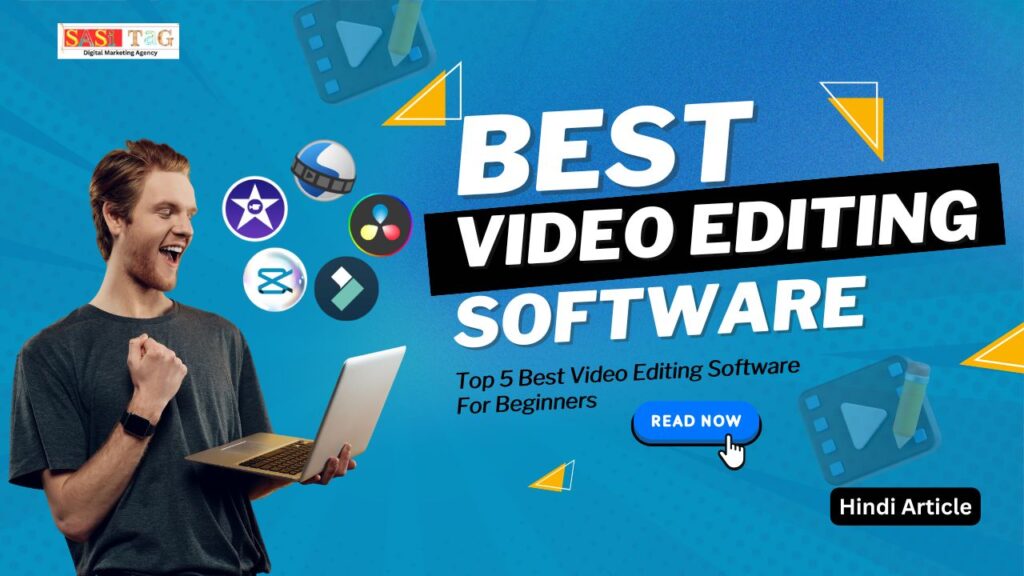
Top 5 Best Video Editing Software For Beginners (In Hindi)
आज के digital ज़माने में, हर कोई कुछ ना कुछ create करना चाहता है, चाहे वो YouTube video हो, Instagram reel, vlog, या short film, लेकिन editing के लिए सही software choose करना थोड़ा confusing हो जाता है कि कौन सा beginner-friendly है और कौन wallet-friendly?
Table of Contents
ToggleVideo editing software for beginners ऐसा होना चाहिए जो use करने में easy हो और साथ ही साथ result भी professional दे! Editing को fun और simple बनाने के लिए हर new editor को AI tools, templates और automatic features की जरूरत होती है!
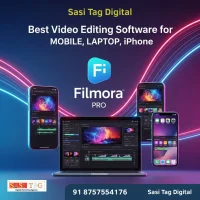
Content creators aur editors ke liye perfect deal! Filmora Pro ka full verified access ab sirf ₹1180 me paayein. Advanced features aur smooth performance ke sath har video ko banao cinematic! Don’t miss this offer — grab it now!
अगर आप सही video editor choose करते है तो आपको computer के बारे में ज्यादा knowledge की ज़रूरत नही है और आपके videos भी अच्छे होंगे और साथ ही professional, clean और interesting भी लगेंगे! तो इस blog में हम जानेंगे Top 5 video editing programs जो हर beginner को जरूर try करने चाहिए!
#YouTubers कौन सा video editing software use करते है?
अगर आप YouTube channel manage करते हैं या start करने का plan बना रहे हैं, तो ये जानना बहुत जरूरी है कि professional YouTubers कौन सा software use करते हैं! हर creator का apna editing style होता है, लेकिन कुछ software ऐसे हैं जो सबसे ज़्यादा use किए जाते हैं!
Professional YouTubers mostly Adobe Premiere Pro use करते हैं! इसमें audio mixing, colour grading और multiple layers जैसे advanced tools मिलते हैं! लेकिन beginners के लिए ये थोड़ा complicated हो सकता है!
Final Cut Pro, Apple users के बीच एक popular choice है! ये fast rendering और cinematic effects के लिए जाना जाता है! अगर आप free option ढूंढ रहे हैं, तो DaVinci Resolve best balance देता है! इसका free version भी professional tools provide करता है, इसी वजह से कई YouTubers इसे use करते हैं! Smooth transitions और colour correction जैसी features आपको free में मिल जाती हैं!
सीधे शब्दों में कहें तो, अगर आप YouTube के लिए videos बनाना शुरू कर रहे हैं, तो Filmora या CapCut से शुरुआत करें, और जैसे-जैसे experience बढ़े, DaVinci Resolve या Premiere Pro पर move कर सकते है!
#PC Users के लिए Best Video Editing Software कौन से है?
PC users के लिए software compatibility और performance सबसे crucial factors होते हैं! CapCut Desktop और Filmora दोनों hi lightweight aur user-friendly software हैं, जो beginners के लिए perfect options बनाते हैं! अगर आप apne videos को थोड़ा ज्यादा professional look देना चाहते हैं, तो DaVinci Resolve एक अच्छा option है बस ध्यान रहे, इसके लिए थोड़ा powerful laptop चाहिए होता है!
इन तीनों के अलावा, OpenShot भी ek excellent free option है जो Windows पर flawlessly काम करता है!
#Mac Users के लिए Best Video Editing Software कौन से है?
Mac users की बात करें, तो Apple का software aur hardware perfectly sync में होने की वजह से editing experience हमेशा better होता है! Beginners के लिए iMovie best choice है ये free है और use karna super easy भी है!
अगर आप YouTube या professional content create करते हैं, तो Final Cut Pro एक expensive लेकिन powerful option है! इसके अलावा, DaVinci Resolve (Mac version) cinematic editing सीखने के लिए ideal है!
- All
- Gateway
- Panel
- User Ac
- Back
- User Ac



#Beginners के लिए सबसे simple successful software कौन सा है?
अगर आप simplicity, speed aur creativity को value देते हैं, तो CapCut, Filmora, और iMovie top 3 options हैं! CapCut ek easy-to-use tool है जिसमें almost सब features एक click में मिल जाते हैं ये beginners के लिए perfect option है! Filmora ka interface thoda advanced दिखता है, लेकिन use करने में equally simple है और ये भी Beginners के लिए best option है! वहीं iMovie Mac users के लिए एक ready-to-use free solution है जो editing को super easy बना देता है!
ये तीनों software beginners के लिए best हैं क्योंकि ये user-friendly हैं, affordable (या free) हैं, और professional-looking results देते हैं!
#Beginners के लिये सबसे अच्छा video editor कौन सा है?
Beginners के लिए best video editor वही है जो आपको अपनी creativity freely express करने दे, बिना frustration के editing सीखने के किए तो अब आते है main point पर अगर आप beginner हैं, तो सबसे पहले कौन सा editor try करना चाहिए?
यहाँ दिए गए हैं Top 5 video editors जो beginners के लिए perfect हैं easy-to-use interface और powerful features के साथ!
Content creators aur editors ke liye perfect deal! Filmora Pro ka full verified access ab sirf ₹1180 me paayein. Advanced features aur smooth performance ke sath har video ko banao cinematic! Don’t miss this offer — grab it now!
1- Filmora Pro (Verified Panel by Sasi Tag Digital)
इस समय market में सबसे well-rounded video editing program है Wondershare का Filmora Pro, जो user-friendly होने के साथ-साथ professional भी है! इसमें आपको मिलते हैं hundreds of templates, motion tracking, AI background remover और एक simple drag-and-drop interface.
- Sasi Tag Digital का Verified Panel इसे और unique बनाता है यहाँ आप ek genuine और secure login ID & password के through premium access पा सकते हैं!
- Freelancers और YouTubers के लिए यहाँ quick assistance और AI-powered full editing experience available है!
- Filmora का user interface बहुत clear और easy-to-use है इसमें voiceover, music sync, transitions, aur trimming के लिए alag panels हैं!
- AI background remover और silence detection tool editing process को fast और smooth बना देता है!
Paid version beginners के लिए काफी affordable है और worth it भी, लेकिन free version में watermark आता है! हर new creator के लिए Filmora perfect start है क्योंकि इसे use करना आसान है और result super professional दिखता है! और पहली बार India में, आप इसे safe aur authentic तरीके से Verified Panel के through access कर सकते हैं!
Cost: सिर्फ ₹1,180 (original ₹4,760)
Get Now: अपना Filmora Pro Verified Panel लेने के लिए अभी जाएँ [Sasi Tag Digital] की official website पर!
2. CapCut (Free & Effective)
CapCut app, जो ByteDance (TikTok की parent company) ने develop किया है, ये fast edits के लिए perfect है! इसमें आपको मिलता है background removal, trending templates, और automatic captions. Beginners आसानी से इसे use कर सकते हैं क्योंकि इसका interface straightforward और simple है!
Extra benefit यह है कि CapCut में sound effects और built-in music library भी है, जो social media videos को instantly engaging बना देता है! बड़े projects में कुछ limitations हैं, लेकिन सबसे बड़ी बात ये है कि यह free है! यह best है social media posts और reels के लिए, लंबे YouTube videos के लिए नहीं!
3. DaVinci Resolve (Advanced Novice)
DaVinci Resolve professional-level sound design और colour grading के लिए जाना जाता है! इसका free version beginners को strong tools provide करता है, जिससे वे editing के fundamentals सीख सकते हैं और धीरे-धीरे complex features में भी proficient हो सकते हैं!
DaVinci Resolve un लोगों के लिए perfect है जो अपनी career को आगे बढ़ाना चाहते हैं और future में films बनाना चाहते हैं! Interface thoda complex लग सकता है, लेकिन results शानदार होते हैं! ये Ideal है students के लिए जो professional editor बनना चाहते हैं!
4. iMovie (Mac Users)
Mac और iPhone users के लिए best choice है Apple का free video editor, iMovie. इसका simple और intuitive design editing में किसी भी confusion को दूर करता है!
Beginners के लिए iMovie एक perfect start है क्योंकि इसका smooth integration है Apple ecosystem के साथ, साथ ही 4K export और cinematic transitions भी available हैं! Clips को sync करना और professional results पाना आसान है! ये Clean, free और Apple ecosystem के लिए ideal है!
5. OpenShot (for Linux, Mac, and Windows)
OpenShot एक open-source program है जो use करने में आसान और lightweight है! इसमें आपको multi-layer editing और 3D animation की सुविधा मिलती है, जो beginners के लिए बहुत helpful है!
सबसे बड़ा advantage यह है कि ये low-end PCs पर भी smoothly चलता है और watermark-free exports देता है! कोई hidden fees नहीं हैं और यह पूरी तरह free है! ये Free है और basic, limitless editing के लिए perfect है!
Content creators aur editors ke liye perfect deal! Filmora Pro ka full verified access ab sirf ₹1180 me paayein. Advanced features aur smooth performance ke sath har video ko banao cinematic! Don’t miss this offer — grab it now!
#Conclusion
आज के ज़माने में video editing एक essential skill बन चुका है! चाहे आप एक YouTuber, influencer, या एक beginner content creator ही क्यों न हों, एक अच्छा video editing software आपके content को next level पर ले जा सकता है!
Filmora थोड़ा elegant और versatile option है, iMovie Apple users के लिए best choice है, और CapCut एकदम free और effective tool है! अगर आप advanced editing सीखना चाहते हैं, तो DaVinci Resolve perfect upgrade साबित हो सकता है! सही software के साथ editing सीखना आसान और मज़ेदार बन जाता है! हर great creator ने एक beginner के तौर पर ही शुरुआत की थी! तो अब start कीजिए, experiment कीजिए और अपने videos को एक polished professional look दीजिए!
और अगर आप एक beginner हैं, तो शुरुआत करने के लिए Sasi Tag Digital का Filmora Pro Verified Panel best option है! सिर्फ ₹1,180 में अपना Filmora Pro Verified Panel अभी पाएँ Sasi Tag Digital से! और आपको ये blog article helpful लगी है तो comment में ज़रूर बताए और अगर आपको इससे related और जानकारी है तो हमारे साथ share करे!
- All Posts
- Blog
- Digital Products
- Earn online
- Idea's
- Marketing
#Canva Reel Cover Design: 5 Smart Tricks Jo Beginners Ko Pro Level Cover Banane Mein Help करे! (In Hindi) Instagram...

#Canva vs Adobe Express 2026: 5 Amazing Differences जो आपके Right Tool Choose करने में Help करे! क्या आप 2026...

#Canva Vs PicMonkey: Top 7 Powerful Reasons Jo Canva Ko Banate Hain Best Design Tool (In Hindi) क्या आपने कभी...

#Canva vs Figma: 8 Easy Comparisons Jo Design Workflow Ko Banaye Super Fast (In 2026) क्या आपने कभी सोचा है...

#Canva Drag and Drop Design: 5 Best Amazing Benefits Jo Beginners Ko Pro Bana दे! क्या आपने कभी Design बनाने...

#Canva Visual Suite: Beginners के लिए Top 7 Powerful Tools जो Design को बनाएं Super Easy (In Hindi) आज के...

#Canva Job for Students 2026: Top 10 Easy Part-Time Jobs Earn from Home (In Hindi) क्या आप Student हैं और...

#Canva AI Se PPT Kaise Banaye? Beginner Ke Liye Top 10 Step-By-Step Guide (In Hindi) क्या आपने कभी सोचा है...

#Filmora 15 AI Tool:Beginners के लिए Best 7 Smart Editing Tricks (In 2026) आज के Digital Era में Video Content...