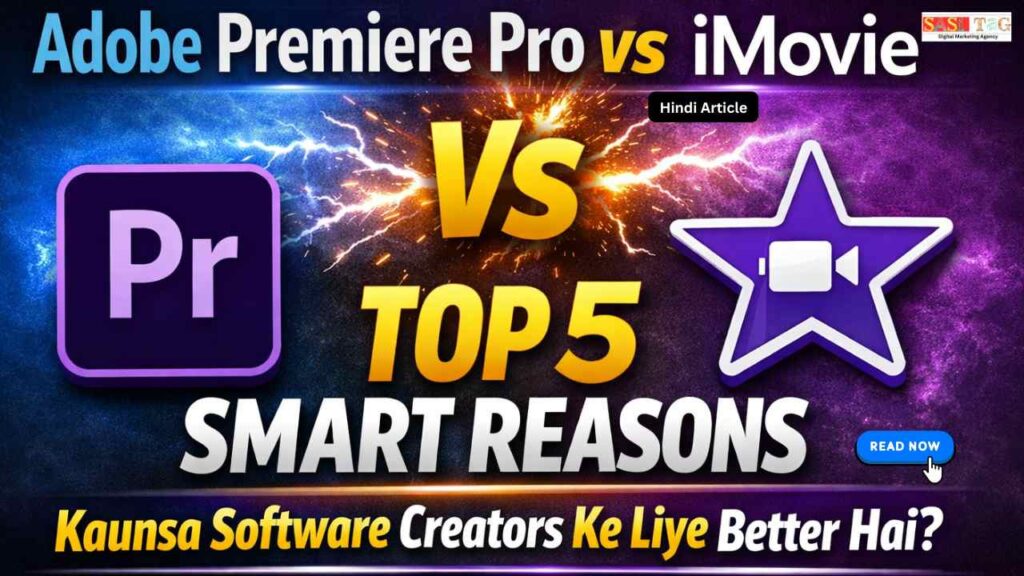
#Adobe Premiere Pro vs iMovie Top 8 Smart Reasons Kaunsa Software Creators Ke Liye Better Hai (In Hindi)
आज के Digital Content Era में Video Editing हर Creator के लिए एक Essential Skill बन चुका है चाहे आप YouTube Videos बना रहे हों, Instagram Reels या Online Courses एक सही Video Editing Software आपके Content की Quality को Next Level तक ले जा सकता है!
Table of Contents
Toggleलेकिन Beginners और Creators अक्सर Confuse हो जाते हैं कि उन्हें Adobe Premiere Pro Use करना चाहिए या iMovie दोनों Software Popular हैं, लेकिन इनके Features, Complexity और Use Case अलग-अलग हैं!
इस Article में हम Adobe Premiere Pro vs iMovie के बीच Top 8 Smart Reasons को समझेंगे, ताकि आप अपने Content Creation Goals के हिसाब से सही Software Choose कर सकें!
- All
- Gateway
- Panel
- User Ac
- Back
- User Ac


#Adobe Premiere Pro vs iMovie क्या है?
Adobe Premiere Pro और iMovie दोनों Video Editing Software हैं, लेकिन इनका Use, Features और Target Users अलग-अलग होता हैं Adobe Premiere Pro एक Professional Level का Video Editing Software है जिसे Adobe Company ने Develop किया है!
इसका Use YouTube Videos, Films, Ads और High-Quality Content Editing के लिए किया जाता है इसमें Advanced Features जैसे Timeline Editing, Color Grading, Audio Editing और Effects Control Available होता हैं, जो Professional Creators के लिए बहुत Useful हैं!
दूसरी तरफ iMovie एक Simple और Beginner-Friendly Video Editing Software है, जो खासतौर पर Apple Devices Mac, iPhone, iPad के लिए बनाया गया है इसमें Basic Editing Tools, Ready-Made Templates और Easy Interface होता है, जिससे Beginners जल्दी Video Editing सीख सकते हैं!
#Adobe Premiere Pro vs iMovie Top 8 Smart Reasons Kaunsa Software Creators Ke Liye Better Hai
#1. Ease Of Use
iMovie का Interface बहुत Simple और Beginner-Friendly होता है, जिससे नए Users जल्दी Editing शुरू कर सकते हैं वहीं Premiere Pro शुरुआत में थोड़ा Complex लगता है, लेकिन Practice के बाद यह Powerful Tool बन जाता है जो Advanced Editing को आसान कर देता है!
#2. Advanced Features
Premiere Pro में Multi-Layer Editing, Color Grading, Audio Control और Professional Effects जैसे Advanced Features Available होता हैं दूसरी तरफ iMovie Basic Features देता है, जो Simple Projects के लिए ठीक हैं लेकिन Complex Editing के लिए Limited हैं!
#3. Professional Output
अगर आप High-Quality और Professional Videos बनाना चाहते हैं, तो Premiere Pro ज्यादा Better Option है iMovie भी अच्छा Output देता है, लेकिन Professional Level Projects के लिए उतना Powerful नहीं है!
#4. Platform Compatibility
iMovie सिर्फ Apple Devices पर Available है, जबकि Premiere Pro Windows और Mac दोनों पर चलता है इसलिए Cross-Platform Users के लिए Premiere Pro ज्यादा Flexible Choice है!
#5. Learning Curve
iMovie Beginners के लिए Easy है और जल्दी सीखा जा सकता है वहीं Premiere Pro का Learning Curve थोड़ा Tough है, लेकिन एक बार सीखने के बाद आप Advanced Editing आसानी से कर सकते हैं!
#6. Integration Support
Premiere Pro Adobe Ecosystem After Effects, Photoshop के साथ Easily Integrate होता है, जिससे Creative Workflow Improve होता है ये iMovie Apple Ecosystem में काम करता है लेकिन Integration Options Limited हैं!
#7. Pricing Difference
iMovie Free Software है, जो Apple Users के लिए Great Option है। वहीं Premiere Pro Paid Software है, जिसमें Subscription लेना पड़ता है। Budget के हिसाब से यह एक Important Factor बन जाता है!
#8. Customization और Control
Premiere Pro में Editing का पूरा Control मिलता है आप Effects, Transitions, Audio और Color को Deep Level तक Customize कर सकते हैं जबकि iMovie में Limited Customization Options होता हैं, जिससे Creative Freedom थोड़ा कम हो जाता है!
#Premiere Pro कब Choose करें!
अगर आप Serious Video Editing करना चाहते हैं और Long-Term में Professional बनना चाहते हैं, तो Premiere Pro आपके लिए सही Choice है जब आपको Advanced Features जैसे Multi-Layer Editing, Color Grading, Audio Control और Effects Customization की जरूरत हो, तब यह Software सबसे ज्यादा Useful साबित होता है!
यह खासतौर पर उन Creators के लिए Best है जो YouTube Channel Grow करना चाहते हैं, Freelancing करना चाहते हैं या High-Quality Content बनाना चाहते हैं अगर आपका Goal Professional Output, ज्यादा Control और Creative Freedom है, तो आपको Premiere Pro Choose करना चाहिए, भले ही शुरुआत में इसे सीखने में थोड़ा Time लगे!
#iMovie कब Choose करें!
अगर आप Video Editing में बिल्कुल Beginner हैं और Simple तरीके से Videos बनाना चाहते हैं, तो iMovie एक Perfect Choice है इसका Interface Easy और Clean होता है, जिससे बिना ज्यादा Technical Knowledge के भी आप जल्दी Editing सीख सकते हैं!
जब आपका Goal Basic Editing हो जैसे Clips Cut करना, Music Add करना, Simple Transitions लगाना तब iMovie काफी Helpful होता है यह खासकर Apple Users Mac, iPhone, iPad के लिए Best है क्योंकि यह Free और Easily Accessible है अगर आप जल्दी Results चाहते हैं, ज्यादा Complexity में नहीं जाना चाहते और Beginner Level Content Create कर रहे हैं, तो iMovie आपके लिए सबसे Easy और Practical Option है!
#Premiere Pro और iMovie के फायदे!
#Premiere Pro के Benefits
Premiere Pro Professional Creators के लिए एक Powerful Tool है जो Advanced Editing को आसान बनाता है। इसमें Multi-Layer Editing, Color Grading, Audio Control और Custom Effects जैसे Features मिलता हैं यह High-Quality Output देता है और बड़े Projects जैसे YouTube Videos, Ads और Films के लिए Perfect है साथ ही Adobe Apps के साथ Integration से Workflow और भी Smooth हो जाता है, जिससे Creativity और Productivity दोनों Improve होता हैं!
#iMovie के Benefits
iMovie Beginners के लिए Simple और Easy Video Editing Software है, जो बिना ज्यादा Technical Knowledge के Use किया जा सकता है इसका Interface Clean होता है और इसमें Ready-Made Templates, Basic Effects और Quick Editing Tools मिलते हैं यह Apple Devices पर Free Available है, जिससे Beginners आसानी से Start कर सकते हैं और जल्दी Basic Editing Skills सीख सकते हैं!
#Common Mistakes जो Avoid करना चाहिए!
#Wrong Software Choose करना– बिना अपने Goal समझे Software Select करने से Learning Slow हो जाता है!
#Over Editing करना – जरूरत से ज्यादा Effects और Transitions Video को Unnatural बना देता हैं!
#Audio Quality Ignore करना – सिर्फ Video पर Focus करना और Sound को Ignore करना बड़ी गलती है!
#Practice Skip करना – Regular Practice ना करने से Skills Improve नहीं होता!
#Learning Curve से डरना – Complex Software देखकर जल्दी Give Up कर देना Growth रोक देता है!
#Templates पर Over Depend होना – हमेशा Ready Templates Use करने से Creativity Develop नहीं होता!
#Export Settings Galat Use करना– Wrong Format और Resolution से Final Video Quality खराब हो सकता है!
#Conclusion
Adobe Premiere Pro vs iMovie दोनों ही Useful Video Editing Software हैं, लेकिन सही Choice आपके Goal, Experience Level और जरूरतों पर Depend करती है अगर आप Beginner हैं और Simple, Fast Editing चाहते हैं, तो iMovie एक Easy और Practical Option है!
वहीं अगर आप Professional Level Editing, Advanced Features और Long-Term Growth चाहते हैं, तो Premiere Pro आपके लिए Best Choice है सबसे जरूरी बात यह है कि आप अपने Goal को समझें और उसी हिसाब से Tool Select करें शुरुआत चाहे Small Level से करें, लेकिन Consistent Practice और सही Approach से आप धीरे-धीरे Expert बन सकते हैं!
- All Posts
- Blog
- Digital Products
- Earn online
- Idea's
- Marketing

#Filmora 15 Begginers Pro Ke Top 7 Amazing Features For Fast & Professional Pro Video Editing (In 2026) आज के...

#MS Office 365 Creators Ke Liye 2026 Ke Top 10 Powerful Tools Jo Aapki Productivity Ko Boost Kare (In Hindi)...

#ChatGPT Plus 2026 Begginers Ke Liye Top 10 Amazing Benefits Jo Aapki Productivity Ko 10X Boost Kare (In Hindi) क्या...

#CapCut Pro Private Account 2026: 7 Powerful Features Jo Aapki Video Editing Ko Pro Level Banaye (In Hindi) क्या आप...

ElevenLabs AI Kya Hai Begginers Ke Liye 2026 Ke Top 8 Amazing Benefits Jo Aapka Audio Creation Easy Banaye (In...

#ElevenLabs Voice Kaise Banaye 2026 Ke Top 8 Powerful Tips To Create Professional AI Voice (In Hindi) क्या आप चाहते...

#ChatGPT Se Daily Income Kaise Banaye Begginers Ke Liye Top 7 Powerful Ways To Earn Online Daily In 2026 क्या...

#Cloud AI Career Scope Top 9 High-Paying Roles Jo Students Aur Professionals Ka Future Secure Kare (In Hindi) क्या आप...

#Cloud AI Solutions 2026 Ke Top 8 Powerful Platforms Jo Beginners Aur Businesses Ko Fast Grow Kare (In Hindi) क्या...