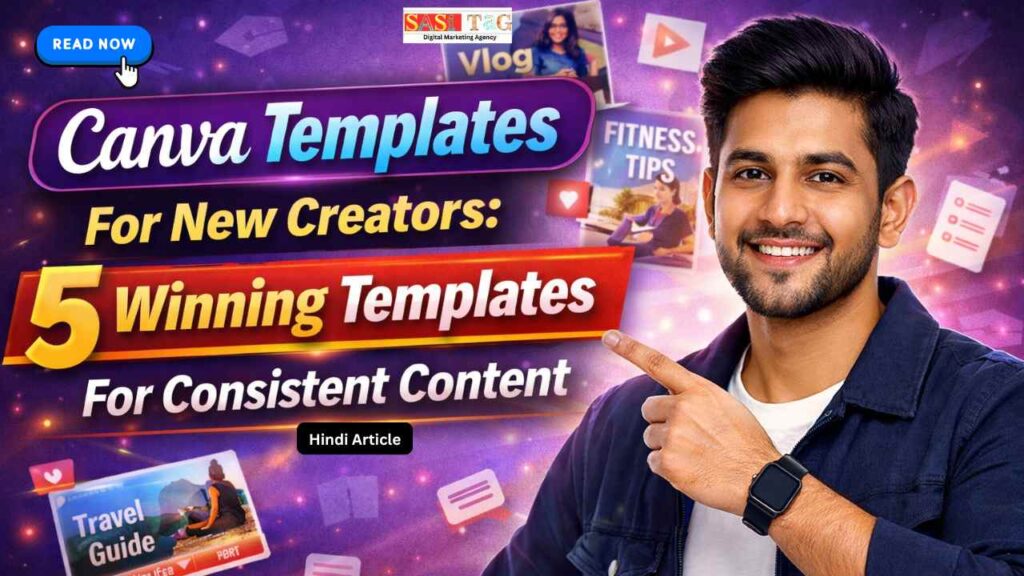
Canva Templates For New Creators: Top 5 Winning Templates for Consistent Content (In Hindi)
अगर आप New Content Creator हैं और रोज़ यह सोचकर परेशान हो जाते हैं कि आज क्या Post बनाऊँ? या Content Consistent कैसे रखूँ? तो आप अकेले नहीं हैं Instagram, YouTube, Blog या Pinterest हर Platform पर Regular और Professional Content ही Growth की Key है!
Table of Contents
Toggleलेकिन सच यह है कि हर बार Design Zero से बनाना Time-Consuming होता है, और Creativity भी धीरे-धीरे Burn Out हो जाता है यहीं पर Canva Templates एक Game Changer बनकर आते हैं, खासकर New Creators के लिए!
इस Blog में आप जानेंगे Best Canva Templates For New Creators, जो न सिर्फ आपका Time बचाएँगे बल्कि आपके Content को Consistent को Clean और Professional भी बनाएँगे बिना किसी Design Experience की मदद से!
#Canva Templates New Creators के लिए Kyun Perfect है!
Canva Templates New Creators के लिए इसलिए Perfect हैं क्योंकि ये Content Creation को Simple और Fast बना देते हैं New Creators के Design को Zero से शुरू करने की जरूरत नहीं होता जिससे Time और Effort दोनों बचता है Ready-Made Layouts, Fonts और Color Combinations की वजह से Content Professional दिखता है!
Canva Templates Consistency Maintain करने में Help करते हैं जो Growth के लिए बहुत जरूरी है बिना Graphic Design Skills के भी New Creators High-Quality Content आसानी से बना सकते हैं!
#Canva Templates 5 Winning Templates For New Creators
#Template 1: Instagram Carousel Templates For Education And Storytelling
Instagram Carousel Templates New Creators के लिए Best होते हैं, क्योंकि इनमें एक ही Topic को Multiple Slides में आसान Language में Explain किया जा सकता है Education और Storytelling Content के लिए यह Format बहुत Effective है हर Slide पर Short Text और Visual होने से Audience Swipe करते रहता है!
जिससे Engagement बढ़ता है Canva के Ready-Made Carousel Templates New Creators के Design को Professional Look देते हैं और Content को Consistent बनाए रखने में Help करता हैं!
#Template 2: Instagram Reel Cover Templates For Strong First Impression
Instagram Reel Cover Templates New Creators के लिए बहुत Important होते हैं, क्योंकि यही आपकी Profile का First Impression बनाता हैं Consistent Reel Covers से Profile Clean और Professional दिखता है Canva के Ready-Made Reel Cover Templates में Bold Text, Proper Spacing और Eye-Catching Design पहले से होता है!
जिससे New Creators आसानी से Attractive Covers बना सकते हैं Strong Reel Covers Audience को Click करने के लिए Encourage करते हैं और Branding को भी Strong बनाता हैं!
- All
- Gateway
- Panel
- User Ac
- Back
- User Ac


#Template 3: YouTube Thumbnail Templates (For Higher Clicks)
YouTube Thumbnail Templates New Creators के लिए बहुत जरूरी होते हैं, क्योंकि Video पर Click आने का सबसे बड़ा Reason Thumbnail होता है Canva के YouTube Thumbnail Templates में Bold Text, Clear Visuals और High Contrast Colors पहले से Set होता हैं!
जिससे Thumbnail Eye-Catching बनता है New Creators बिना ज्यादा मेहनत के Professional Thumbnails बना सकते हैं, जो Click-Through Rate बढ़ाने में Help करते हैं और Channel Growth को Faster बनाता हैं!
#Template 4: Story Highlight Cover Templates For Profile Branding
Story Highlight Cover Templates New Creators के लिए Profile Branding में बहुत Help करता हैं Clean और Consistent Highlight Covers से Instagram Profile Professional और Content Honest दिखता है Canva के Ready-Made Highlight Cover Templates में Simple Icons और Balanced Colors होता हैं!
जिससे Beginners आसानी से Branding Maintain कर सकते हैं Proper Highlight Covers Audience को आपकी Profile जल्दी Understand करने में Help करते हैं और Overall Look को Strong बनाता हैं!
#Template 5: Content Planner And Post Schedule Templates
Planning को Clear और Systematic बना देते हैं Canva के Ready-Made Planner Templates से Weekly या Monthly Content पहले से Plan किया जा सकता है, जिससे Posting Consistency Maintain रहता है!
New Creators को Daily Confusion नहीं होता, Time पर Post करना आसान हो जाता है और Stress भी कम रहता है Overall, Content Creation Process Easy, Smooth और Fully Organized बन जाता है!
#New Creators के लिए सही Canva Template कैसे चुनें (Step By Step)
#Step 1: Content Goal Clear करें!
सबसे पहले यह Decide करें कि आपका Content Educate करने के लिए है, Entertain करने के लिए या Promote करने के लिए है क्योंकि जब Goal Clear होता है, तो उसी के According सही Canva Template चुनना आसान हो जाता है और Content ज्यादा Effective दिखता है!
#Step 2: Platform के हिसाब से Template चुनें!
हर Platform का Format अलग होता है, जैसे Instagram Post, Reel Cover या YouTube Thumbnail Beginner को उसी Platform के Size और Style वाला Canva Template Use करना चाहिए, ताकि Content Proper Fit हो और Professional Look बनाए!
#Step 3: Simple और Clean Design Select करें!
Starting में बहुत ज्यादा Colors Use नहीं करना चाहिए क्योंकि Effects वाले Templates Simple और Clean Canva वाले Templates से ज्यादा Professional दिखते हैं और Audience को Message आसानी से समझ आता है, जिससे Engagement Improve होता है!
#Step 4: Template को Customize जरूर करें!
Canva Template को Direct Copy न करें Text, Colors और Images अपने Brand के According Change करें Customization से Content Unique लगता है और आपकी Personal Branding Strong बनती है, जो Long-Term Growth में Help करता है!
#Step 5: Consistency Maintain करें!
एक या दो Similar Canva Templates Select करें और Regular उसी Style में Content बनाएं ताकि Consistency से आपकी Profile Organized दिखें और Audience आपको पहचानने लगते है और Trust Build होने लगता है, जो New Creators के लिए बहुत Important है!
#Common Mistakes जो New Creators को Avoid करनी चाहिए!
#1. Too Many Fonts Use करना!
एक ही Post में ज्यादा Fonts Use करने से Design Messy दिखता है और Readability कम होती है Simple और Consistent Fonts हमेशा Better रहते हैं!
#2. Overloaded Designs बनाना!
Images, Text और Effects ज्यादा डालने से Post Confusing और Unprofessional दिखता है Minimal Design + Clear Message ही Audience को Attract करता है!
#3. बिना Customize किए Templates Post करना!
Ready-Made Template को Use करने से Content Generic लगता है Colors, Text और Images अपने Brand के अनुसार Change करना जरूरी होता है!
#4. Consistency Ignore करना!
Different Styles या Colors बार-बार Use करने से Branding Weak हो जाता है Same Style Maintain करना Engagement और Trust Build करने के लिए जरूरी है!
#5. Content Planning न करना!
Random और Unplanned Post करने से Consistency टूटती है और Audience Interest कम होता है Simple Content Planner या Template Use करना बहुत Helpful है!
#Conclusion
Canva Templates New Creators के लिए एक Powerful Tool हैं, जो Content Creation को आसान, Fast और Professional बनाता हैं Instagram Carousel, Reel Covers, YouTube Thumbnails, Story Highlight Covers और Content Planner Templates आपके Content को Consistent और Engaging बनाने में Help करता हैं New Creators बिना किसी Graphic Design Experience के भी High-Quality Content बना सकते हैं!
- All Posts
- Blog
- Digital Products
- Earn online
- Idea's
- Marketing

#Canva AI Se PPT Kaise Banaye? Beginner Ke Liye Top 10 Step-By-Step Guide (In Hindi) क्या आपने कभी सोचा है...

#Filmora 15 AI Tool:Beginners के लिए Best 7 Smart Editing Tricks (In 2026) आज के Digital Era में Video Content...

Canva Templates For New Creators: Top 5 Winning Templates for Consistent Content (In Hindi) अगर आप New Content Creator हैं...

#Canva Scroll Animation: 2026 में Beginners के लिए 7 Game-Changing Effects आज के Time में सिर्फ Static Designs से Audience...

#Canva Photo Editing: Beginners के लिए Best Top 7 Best Smart Editing Techniques (In 2026) आज के Digital Time में...

How To Find The Best Canva Admin Panel Seller? Top 7 Trusted Ways to Get the Safest Deal (In Hindi)...

WhatsApp CRM Software Kaam Kaise Karta Hai? 7 Powerful Steps में Complete Growth Guide 2026 आज के समय में लगभग...

#Canva Se Simple Logo Design Karke Online Paise Kaise Kamaye? Beginners Ke Liye 8 Powerful Steps 2026 आज के Digital...

Google Gemini Veo 3 Se AI Video Kaise Banaye? 2026 में Super Fast और Easy तरीके से AI Video बनाना...