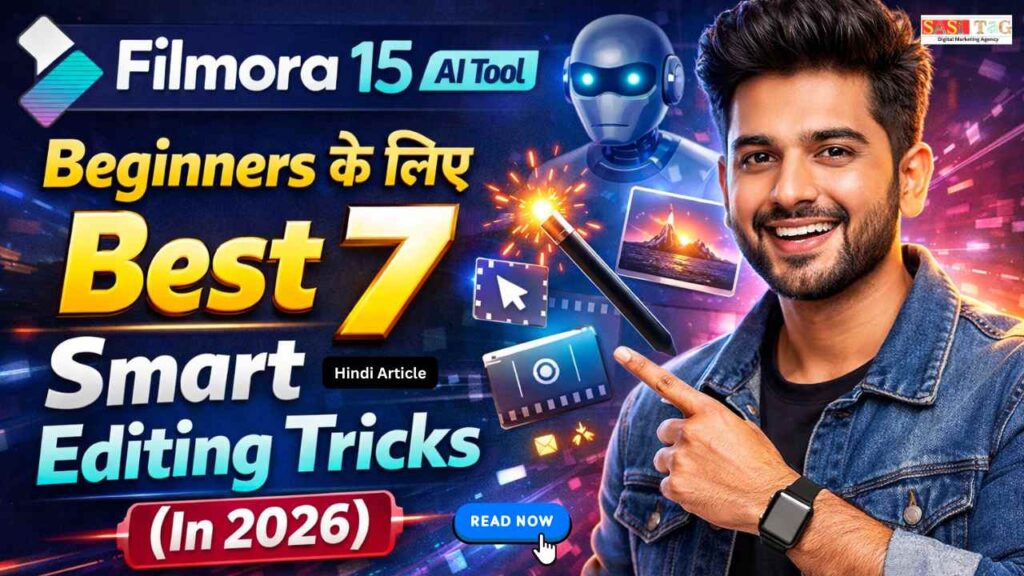
#Filmora 15 AI Tool:Beginners के लिए Best 7 Smart Editing Tricks (In 2026)
आज के Digital Era में Video Content सबसे Powerful Communication Tool बन चुका है। चाहे आप Beginner हों या अभी-अभी Video Editing शुरू कर रहे हों, हर कोई चाहता है कि उसका Video देखने में Professional लगे और Audience को पहली नज़र में Engage कर ले!
Table of Contents
Toggleयही वजह है कि Filmora 15 AI Tool 2026 में Beginners के लिए Game-Changer बन चुका है इसमें Advanced AI Features हैं जो Editing Process को Fast, Simple और Smart बना देते हैं!
इस Blog में आप सीखेंगे Beginners के लिए Best 7 Smart Editing Tricks, जिससे आप कम Time में High-Quality Videos बना पाएंगे, Confidence के साथ Editing कर पाएंगे और अपने Content को Next Level तक ले जा सकेंगे!
#Filmora 15 AI Tool Kya Hai?
Filmora 15 AI Tool एक Modern Video Editing Software है, जो खास तौर पर Beginners और Content Creators के लिए Design किया गया है इसमें Advanced AI Features दिए गए हैं, जो Video Editing को आसान, Fast और Smart बना देते हैं!
इस Tool की मदद से आप बिना ज्यादा Technical Knowledge के Professional-Looking Videos बना सकते हैं AI Auto Cut, AI Caption, AI Audio Enhance और Smart Templates जैसे Features Editing Process को Automatically Handle करते हैं, जिससे Time भी बचता है और Quality भी Improve होता है!
#Filmora 15 AI Tool: Beginners के लिए Best 7 Smart Editing Tricks
#1. AI Smart Cutout Background Removal Without Green Screen
AI Smart Cutout Filmora 15 का एक Powerful AI Feature है, जिसकी मदद से आप बिना Green Screen के Video का Background Remove कर सकते हैं यह Tool Automatically Subject को Detect करता है और उसे Background से अलग कर देता है, जिससे Editing आसान और Fast हो जाती है!
Beginners के लिए यह Feature बहुत Helpful है, क्योंकि इसमें Complex Masking या Manual Selection की जरूरत नहीं पड़ती आप सिर्फ एक Click में Background Change, Blur या Replace कर सकते हैं!
#2. AI Text-Based Editing Script से Direct Video Edit
AI Text-Based Editing Filmora 15 का एक Smart Feature है, जो Beginners के लिए Video Editing को बिल्कुल आसान बना देता है इस Tool में AI Video की Speech को Automatically Text में Convert कर देता है, जिससे आप Script के जरिए Direct Video Edit कर सकते हैं!
Timeline पर Clips Cut करने की बजाय, आप Text में Words या Lines Delete करते हैं और वही Changes Automatically Video में Apply हो जाता हैं यह Feature खास तौर पर Talking Videos, Tutorials और Podcasts के लिए बहुत Useful है!
- All
- Gateway
- Panel
- User Ac
- Back
- User Ac


#3. AI Auto Caption Fast & Accurate Subtitles
AI Auto Caption Filmora 15 का एक Useful Feature है, जो आपकी Video के लिए Automatically Subtitles Generate करता है यह Tool Speech को Accurate Text में Convert करता है, जिससे Captions Manual Type करने की जरूरत नहीं पड़ता!
Beginners के लिए यह Feature खास तौर पर Social Media Videos, Reels और Shorts में बहुत Helpful है, क्योंकि Captions Audience Engagement बढ़ाते हैं आप Font, Color और Style को अपने Brand के अनुसार Easily Customize भी कर सकते हैं!
#4. AI Audio Denoise Clear Voice Without Expensive Mic
AI Audio Denoise Filmora 15 का एक Smart AI Feature है, जो Video से Unwanted Background Noise को Automatically Remove करता है अगर आपकी Recording में Fan Sound, Traffic Noise या हल्की Hissing है, तो यह Tool Voice को Clean और Clear बना देता है!
Beginners के लिए यह Feature बहुत Helpful है, क्योंकि हर किसी के पास Expensive Microphone नहीं होता सिर्फ एक Click में Audio Quality Professional Level की हो जाता है!
#5. AI Motion Tracking Moving Object के साथ Text & Graphics
AI Motion Tracking Filmora 15 का एक Advanced Beginner-Friendly Feature है, जो किसी Moving Object को Automatically Track करता है इसके साथ आप Text, Stickers या Graphics Attach कर सकते हैं, जो Object के साथ-साथ Move करते रहते हैं!
यह Feature Vlogs, Tutorials और Product Review Videos में बहुत Effective होता है, क्योंकि इससे Viewer का Focus Directly Important Object पर जाता है!
#6. AI Video Enhancement One Click में Quality Improve
AI Video Enhancement Filmora 15 का एक Powerful Feature है, जो Low-Quality या Dull Videos को Automatically Improve कर देता है यह Tool Brightness, Contrast, Sharpness और Colors को Smart तरीके से Adjust करता है, जिससे Video ज़्यादा Clear और Attractive दिखता है!
Beginners के लिए यह Feature बहुत Useful है, खासकर तब जब Video Low Light में Record हुई हो या Mobile Camera से Shoot की गई हो सिर्फ एक Click में Video Quality Professional Feel देने लगता है!
#7. AI Templates & Auto Beat Sync Reels और Shorts के लिए Perfect
AI Templates & Auto Beat Sync Filmora 15 का एक Smart Feature है, जो Beginners को बिना ज्यादा मेहनत के Trendy Videos बनाने में मदद करता है इसमें Ready-Made Templates और AI-Based Beat Sync होता है, जो Music के Rhythm के According Clips को Automatically Adjust कर देता है!
यह Feature खास तौर पर Instagram Reels, YouTube Shorts और Social Media Content के लिए बहुत Useful है Timing या Transitions की Tension लिए बिना, आप जल्दी से Attractive और Engaging Videos बना सकते हैं!
#Bonus Tips For Beginners Using Filmora 15
अगर आप Filmora 15 का सही तरीके से Use करना चाहते हैं, तो कुछ Simple लेकिन Effective Tips को Follow करना बहुत जरूरी है ये Tips आपकी Editing को Easy, Clean और Professional बनाने में मदद करता है!
- Simple और Readable Fonts Use करें, ताकि Text Clear दिखे!
- Over Effects और Transitions Avoid करें, Clean Look ज्यादा Professional लगता है!
- Video की Storytelling पर Focus रखें, सिर्फ Effects पर नहीं!
- Short Videos से Practice Start करें, Confidence धीरे-धीरे बढ़ेगा!
- AI Tools को Support की तरह Use करें, पूरी तरह Depend न हों!
इन Tips को Follow करके आप Filmora 15 के AI Features का Best Use कर पाएंगे और Better Quality Videos बना सकेंगे!
#Common Mistakes जो Filmora 15 AI Tool में Avoid करनी चाहिए!
Filmora 15 AI Tool Beginners के लिए काफी Easy है, लेकिन कुछ Common Mistakes हैं जिन्हें Avoid करना जरूरी है, ताकि आपका Video Professional और Engaging लगे नीचे दी गई गलतियाँ अक्सर नए Users करते हैं!
- हर Clip पर ज्यादा Effects Apply करना, जिससे Video Messy लगने लगता है!
- AI Features पर जरूरत से ज्यादा Depend करना और Manual Creativity Ignore करना!
- Audio Level Check न करना, जिससे Voice Low या Distorted हो जाता है!
- Caption Font बहुत Small या Hard Color में Use करना!
- Video Length जरूरत से ज्यादा Long रखना, जिससे Viewer Interest कम हो जाता है!
अगर आप इन Common Mistakes को Avoid करेंगे और Filmora 15 के AI Tools का सही Use कर करेंगे तो आपके Videos ज्यादा Clean, Clear और Professional लगे गा!
#Conclusion
Filmora 15 AI Tool सच में 2026 में Beginners के लिए Best Video Editing Solution बन चुका है इसके 7 Smart AI Editing Tricks न सिर्फ आपका Time बचाते हैं, बल्कि आपके Videos को Professional Look भी देते हैं वो भी बिना Heavy Technical Knowledge के!
अगर आप अभी Video Editing Start कर रहे हैं, तो Filmora 15 आपके लिए एक Perfect Choice है छोटे Steps से शुरुआत करें, AI Features को Explore करें और धीरे-धीरे अपनी Creativity को Grow करें!
- All Posts
- Blog
- Digital Products
- Earn online
- Idea's
- Marketing
#LinkedIn Latest Features 2026 Ke Top 7 Powerfull Updates Jo Professional Networking Ko Next Level Bana De (In Hindi) आज...

#Gemini AI Blog Writing Tools Begginers Ke Liye 2026 Ke Top 6 Powerful Features Jo Writers Ki Productivity Double Kar...

#GitHub Copilot Workflow Automation Top 7 Smart Features Jo Coding Ko Fully Automatic Bana De (In Hindi) आज के Modern...

#GitHub Copilot Code Suggestions Begginers Ke Liye Top 5 PowerFul AI Features Jo Coding Errors Ko Seconds Me Fix Kar...

#GitHub Copilot Pro Kya Hai? Top 7 Powerful Features Jo Coding Ko Super Fast Aur Smart Bana De (In Hindi)...

#Filmora 15 Begginers Pro Ke Top 7 Amazing Features For Fast & Professional Pro Video Editing (In 2026) आज के...

#MS Office 365 Creators Ke Liye 2026 Ke Top 10 Powerful Tools Jo Aapki Productivity Ko Boost Kare (In Hindi)...

#ChatGPT Plus 2026 Begginers Ke Liye Top 10 Amazing Benefits Jo Aapki Productivity Ko 10X Boost Kare (In Hindi) क्या...

#CapCut Pro Private Account 2026: 7 Powerful Features Jo Aapki Video Editing Ko Pro Level Banaye (In Hindi) क्या आप...