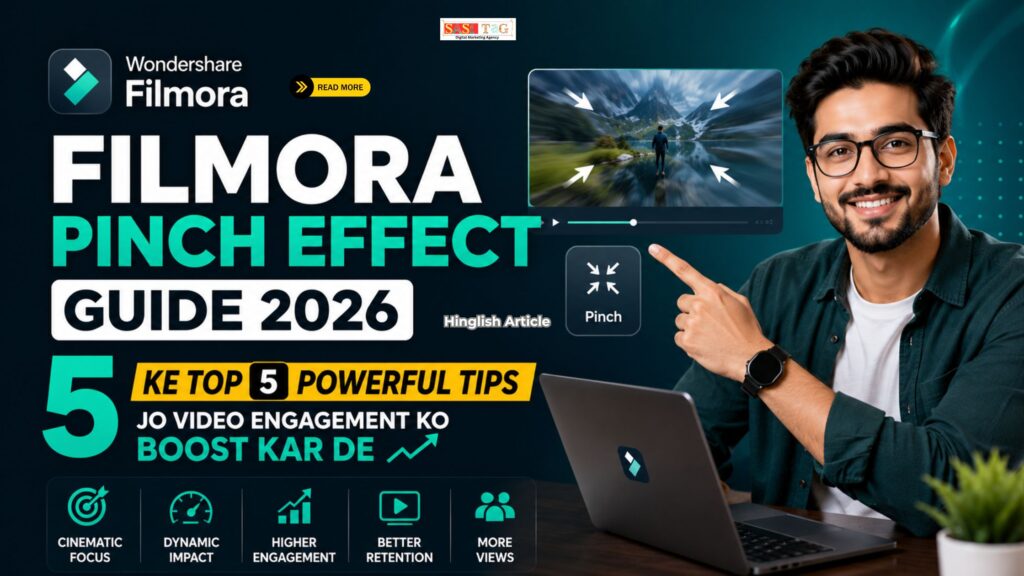
#Filmora Pinch Effect Guide 2026 Ke Top 5 Powerful Tips Jo Video Engagement Ko Boost Kar De (In Hindi)
आज के समय में Video Content केवल Information देने का माध्यम नहीं रह गया है, बल्कि Audience का Attention Capture करने का सबसे Powerful तरीका बन चुका है! अगर आपकी Videos देखने वाले पहले कुछ Seconds में Interest खो देते हैं, तो आपकी मेहनत का बड़ा हिस्सा बेकार हो सकता है!
Table of Contents
Toggleइसी कारण Creators लगातार ऐसे Effects की तलाश में रहते हैं जो Videos को अधिक Dynamic, Attractive और Professional बना सकें! Filmora का Pinch Effect ऐसा ही एक Creative Tool है जो साधारण Footage को भी Eye-Catching Visual Experience में बदल सकता है!
इस Guide में आप जानेंगे कि Filmora Pinch Effect क्या है, इसे सही तरीके से कैसे Use करें, और कौन-सी 5 Powerful Techniques आपकी Video Engagement को 2026 में नई ऊंचाइयों तक पहुंचा सकती हैं! चाहे आप Beginner हों या Experienced Creator, यह Guide आपके लिए बेहद उपयोगी साबित होगी!
- All
- Gateway
- Panel
- User Ac
- Back
- User Ac


#Filmora Pinch Effect Kya Hain?
Filmora Pinch Effect एक Visual Distortion Effect है जो Video के किसी हिस्से को अंदर की ओर Compress या बाहर की ओर Stretch करता है! इसका उपयोग Audience का Attention किसी Specific Area पर Focus कराने, Creative Transitions बनाने और Videos को अधिक Engaging बनाने के लिए किया जाता है!
जब सही तरीके से Apply किया जाता है, तो यह Effect आपकी Content Quality को Professional Touch देता है और Viewer Retention बढ़ाने में मदद करता है!
#Filmora Pinch Effect कैसे Apply करे!
#Step 1: Open Filmora And Create A New Project
सबसे पहले Filmora Software को Open करें और Home Screen पर दिखाई देने वाले New Project Option पर Click करें! इसके बाद अपनी Video Files, Images या अन्य Media Content Import करें जिन्हें आप Edit करना चाहते हैं! सही Project Resolution और Frame Rate Select करना भी महत्वपूर्ण है ताकि Final Video की Quality बेहतर बनी रहे और Editing Process Smooth तरीके से Complete हो सके!
#Step 2: Add Video To Timeline
Media Library में Import की गई Video को Select करें और उसे Drag करके Timeline पर Place करें! Timeline वह Area होता है जहां पूरी Video Editing की जाती है! यहां आप Clips को Arrange, Trim और Customize कर सकते हैं! Pinch Effect Apply करने से पहले सुनिश्चित करें कि Video सही Position पर हो और सभी आवश्यक Clips Editing के लिए तैयार हों!
#Step 3: Go To Effects Panel
Filmora Interface के Top Section में मौजूद Effects Tab पर Click करें! यहां आपको विभिन्न Categories के Visual Effects दिखाई देंगे जो Videos को अधिक Creative और Professional बनाने में मदद करते हैं! Effects Library में Cinematic, Distortion, Transition और Motion Effects जैसी कई Options उपलब्ध होती हैं! Pinch Effect भी इसी Library के अंदर मौजूद होता है जिसे आसानी से Search किया जा सकता है!
#Step 4: Search For Pinch Effect
Effects Library के अंदर मौजूद Search Bar में Pinch Type करें! Search करते ही संबंधित Effects की List दिखाई देने लगेगी! सही Pinch Effect को पहचानें और उसका Preview देखें ताकि आप समझ सकें कि वह आपकी Video पर कैसा दिखाई देगा! Effect Select करने से पहले यह सुनिश्चित करें कि उसका Style आपकी Content Theme और Editing Requirement के अनुसार हो!
#Step 5: Apply The Effect
Pinch Effect को Mouse की सहायता से Drag करें और उसे Video Clip के ऊपर Timeline में Drop करें! Effect Apply होते ही Video में Distortion Style दिखाई देने लगेगा! आप Effect की Length को Clip के अनुसार Adjust भी कर सकते हैं! सही Placement बहुत महत्वपूर्ण है क्योंकि इससे Viewer का Attention उस Particular Scene या Object पर बेहतर तरीके से Focus होता है!
#Filmora Pinch Effect Guide 2026 Ke Top 5 Powerful Tips Jo Video Engagement Ko Boost Kar De
#1. Use Pinch Effect For Attention-Grabbing Openings
किसी भी Video के शुरुआती कुछ Seconds Viewer को रोकने या खोने का काम करते हैं! यदि शुरुआत आकर्षक नहीं होती, तो Audience जल्दी Scroll कर सकती है! Pinch Effect का उपयोग Opening Scene में करने से एक Dynamic Visual Impact बनता है जो तुरंत ध्यान खींचता है! आप Product Reveal, Dramatic Introduction या Important Announcement से पहले इस Effect को Apply कर सकते हैं! इससे Curiosity बढ़ती है और Viewer आगे Video देखने के लिए अधिक प्रेरित होता है, जिससे Watch Time और Retention दोनों बेहतर होते हैं!
#2. Highlight Important Objects Or Information
हर Video में कुछ ऐसे Elements होते हैं जिन पर Viewer का Focus जाना जरूरी होता है! Pinch Effect किसी Specific Object, Product, Text या Offer को Highlight करने का शानदार तरीका है! जब यह Effect किसी महत्वपूर्ण Area पर Apply किया जाता है, तो Viewer की नजर स्वाभाविक रूप से उसी दिशा में जाती है! Educational Videos, Marketing Content और Tutorials में यह Technique विशेष रूप से उपयोगी होती है! इससे Information अधिक प्रभावशाली तरीके से Deliver होती है और Audience महत्वपूर्ण Points को आसानी से याद रख पाती है!
#3. Create Smooth And Creative Transitions
Professional Videos में Smooth Transitions Viewer Experience को बेहतर बनाती हैं! Pinch Effect का उपयोग करके आप एक Scene से दूसरे Scene में Creative तरीके से Move कर सकते हैं! यह साधारण Cut की तुलना में अधिक Engaging और Modern Look प्रदान करता है! Travel Vlogs, Lifestyle Content और Promotional Videos में यह Technique काफी लोकप्रिय है! जब सही Timing और Intensity के साथ Transition बनाया जाता है, तो Video का Flow बेहतर होता है और Audience बिना किसी Distraction के पूरी Story को Enjoy कर पाती है!
#4. Combine Pinch Effect With Motion Graphics
Pinch Effect को Motion Graphics के साथ Combine करने से Video का Visual Appeal कई गुना बढ़ जाता है! Animated Text, Callouts, Icons और Dynamic Elements के साथ यह Effect अधिक Professional और Modern महसूस होता है! Social Media Platforms पर ऐसी Videos अक्सर ज्यादा Attention प्राप्त करती हैं क्योंकि उनमें Movement और Creativity दोनों दिखाई देते हैं!
Content Creators इस Combination का उपयोग Brand Promotion, Product Marketing और Educational Videos में करते हैं ताकि Information अधिक Engaging और Visually Attractive तरीके से Audience तक पहुंच सके!
#5. Keep The Intensity Balanced For Professional Results
Pinch Effect Powerful जरूर है, लेकिन इसका अत्यधिक उपयोग Video की Quality को नुकसान पहुंचा सकता है! बहुत ज्यादा Distortion Viewer को Distract कर सकता है और Content का मुख्य उद्देश्य कमजोर पड़ सकता है! इसलिए हमेशा Effect की Intensity को Balanced रखना चाहिए! केवल महत्वपूर्ण Scenes में इसका उपयोग करें और Natural Look बनाए रखें! Moderate Settings Video को Professional Appearance देती हैं और Viewer Experience को बेहतर बनाती हैं! सही Balance बनाए रखने से Effect आकर्षक लगता है और Audience पर सकारात्मक प्रभाव छोड़ता है!
#Common Mistakes जो Avoid करना चाहिए!
#1. Overusing The Effect
कई Beginners हर Scene में Pinch Effect का उपयोग करने लगते हैं, जिससे Video Overloaded और Unprofessional दिखाई देने लगती है! Effect का उद्देश्य Important Moments को Highlight करना होता है, न कि पूरी Video को Distort करना! Limited और Strategic Use Viewer Experience को बेहतर बनाता है और Content को अधिक प्रभावशाली बनाए रखता है!
#2. Using Too Much Intensity
बहुत अधिक Intensity के साथ Pinch Effect Apply करने पर Video का Natural Look खराब हो सकता है! Excessive Distortion Viewer का ध्यान मुख्य Content से हटा सकती है! हमेशा Moderate Settings से शुरुआत करें और आवश्यकता अनुसार Adjust करें! Balanced Intensity Video को Professional और Visually Pleasant बनाए रखने में मदद करती है!
#3. Ignoring Video Story Flow
कुछ Creators Effects पर इतना ध्यान देते हैं कि Video की Storytelling कमजोर हो जाती है! Pinch Effect केवल Visual Enhancement के लिए होना चाहिए, Story का Replacement नहीं! यदि Effect Content के Flow को Interrupt करता है, तो Viewer Engagement कम हो सकती है! हमेशा Story और Effect के बीच सही Balance बनाए रखें!
#4. Applying Effect At The Wrong Time
गलत Timing पर लगाया गया Pinch Effect अपना Impact खो देता है! यदि Effect ऐसे Moment पर दिखाई दे जहां उसकी जरूरत नहीं है, तो Viewer Confused हो सकता है! Important Highlights, Transitions या Key Messages के दौरान Effect का उपयोग करें ताकि उसका Purpose स्पष्ट रहे और Engagement बढ़े!
#5. Skipping The Preview Process
कई Editors Export करने से पहले Final Preview नहीं देखते, जिससे छोटी-छोटी Editing Mistakes रह जाती हैं! Pinch Effect की Position, Duration और Intensity को Check करना जरूरी होता है! Preview करने से Errors आसानी से पकड़ में आ जाती हैं और Final Video अधिक Polished, Professional और Audience-Friendly दिखाई देती है!
#Benefits Of Using Filmora Pinch Effect
Filmora Pinch Effect आपकी Videos को अधिक Engaging, Dynamic और Professional बनाने में महत्वपूर्ण भूमिका निभाता है! यह Viewer का Attention महत्वपूर्ण Elements की ओर आकर्षित करता है, जिससे Message अधिक प्रभावी तरीके से Deliver होता है! इस Effect का उपयोग Creative Transitions, Product Highlights और Visual Storytelling को बेहतर बनाने के लिए किया जा सकता है! सही तरीके से Apply करने पर यह Watch Time, Audience Retention और Overall Engagement को बढ़ाने में मदद करता है! इसके अलावा, यह Videos को Modern Look प्रदान करता है जो Social Media Platforms पर बेहतर Performance देने में सहायक होता है!
#Why Creators Love Filmora In 2026
2026 में Filmora लगातार Popular हो रहा है क्योंकि यह Powerful Features और Easy Interface का बेहतरीन Combination प्रदान करता है! Pinch Effect जैसे Advanced Tools Beginners के लिए भी आसान हैं और Experienced Editors को Creative Freedom देते हैं! यही कारण है कि YouTubers, Influencers, Educators और Business Owners Filmora को प्राथमिकता दे रहे हैं! यदि आप अपनी Videos को Next Level पर ले जाना चाहते हैं, तो Pinch Effect सीखना एक Smart Decision हो सकता है!
#Conclusion
Filmora Pinch Effect एक छोटा लेकिन बेहद Powerful Editing Tool है जो आपकी Videos को अधिक Dynamic, Attractive और Engaging बना सकता है! सही तरीके से उपयोग करने पर यह Viewer Attention Capture करता है, Important Elements Highlight करता है और Overall Video Quality को Professional बनाता है!
इस Guide में हमने Pinch Effect Apply करने की Process, 5 Powerful Tips, Real-Life Example, Common Mistakes और इसके प्रमुख Benefits को विस्तार से समझा! सबसे महत्वपूर्ण बात यह है कि Effect का उपयोग हमेशा Purpose के साथ करें, केवल Decoration के लिए नहीं!
- All Posts
- Blog
- Digital Products
- Earn online
- Idea's
- Marketing

#Flow AI Omni Flash For Beginners Top 7 Smart Tips Jo Common Errors Se Bachakar Fast Results De क्या आप...
#Flow AI Omni Flash Workflow Automation 2026: Top 5 Powerful Features Jo Work Automation Ko Super Easy Bana De क्या...
#MS Office 365 For Business: Powerful Tools to Boost Productivity and Growth (In Hindi) आज के समय में हर Business...

MS Office 365 2026 Guide: 7 Amazing Tools Jo Work Aur Study Ko Super Easy Bana Dein (In Hindi) आज...

# LinkedIn Premium Career Top 7 Guide for Faster Career Opportunities 2026 (In Hindi) आज के Digital Career World में...

#ChatGPT Plus Guide Top 6 Powerful Features Jo Students Aur Professionals Ka Time Bachaye (In Hindi) क्या आप Assignments, Research,...

#HeyGen Creator Plan: Top 5 Powerful Tools Jo Minutes Me Stunning Professional Avatar Videos Bana Dein (In Hindi) क्या आप...

#MS Office 365 2026 Ke Top 7 Essential Features Every Student and Professional Should Know (In Hindi) आज के Digital...

#Filmora Pinch Effect Guide 2026 Ke Top 5 Powerful Tips Jo Video Engagement Ko Boost Kar De (In Hindi) आज...